
My recent update to from Microsoft Word 2011 to to 2016 (for Mac) continues to offer many chances to learn something new. So What I Learned This Week in Editing again is about a changed feature in Word 2016.
How Do I Remove Personal Information from a File?
When a number of people are working in one document, it can be helpful that Word shows you the identity of each user employing Track Changes.
But sometimes, you would prefer that your user identity not be retained in a file. Can you make Word 2016 “remove personal information from this file on save”?
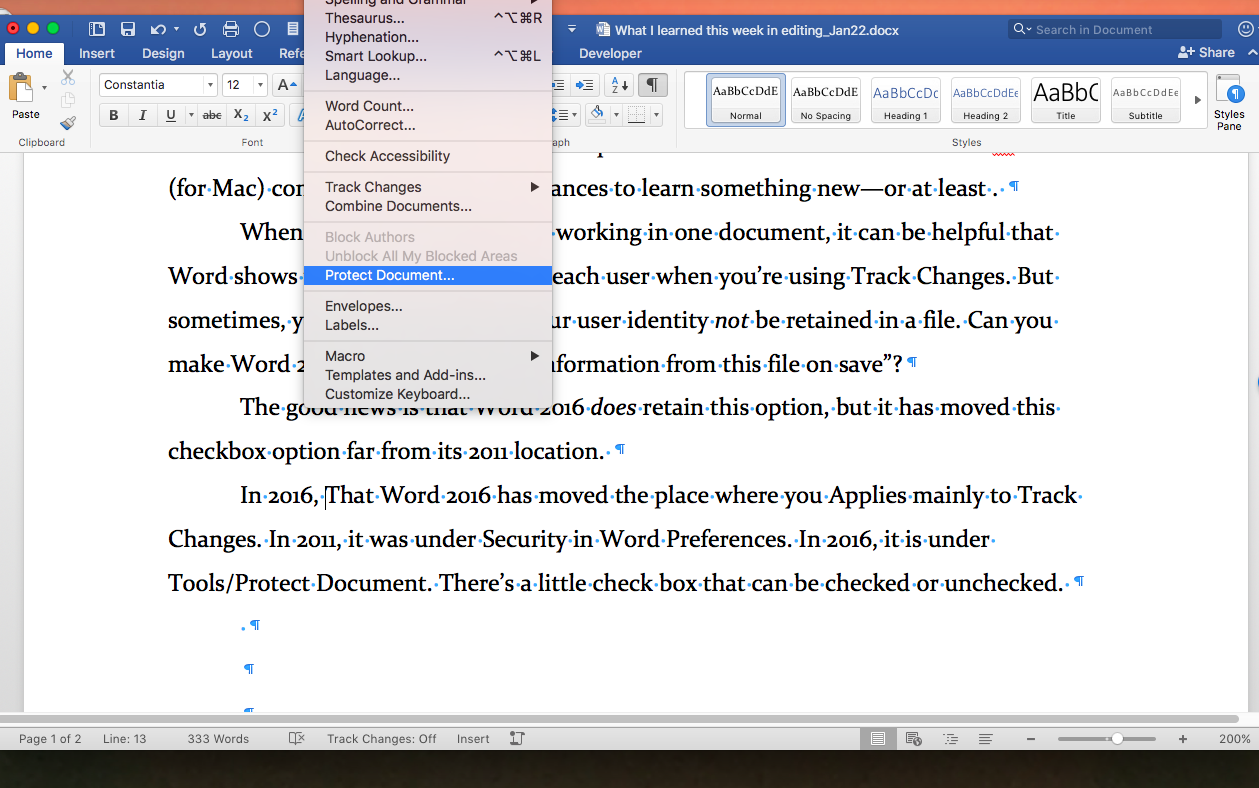
The good news is that Word 2016 does retain this option, but it has moved this checkbox option far from its 2011 location, which was under Word/Preferences/Security.
In 2016, open the “Tools” menu and select the “Protect Document” option. At the very bottom of the dialogue box, you find a section on “Privacy” and a checkbox for “Remove personal information from this file on save.”
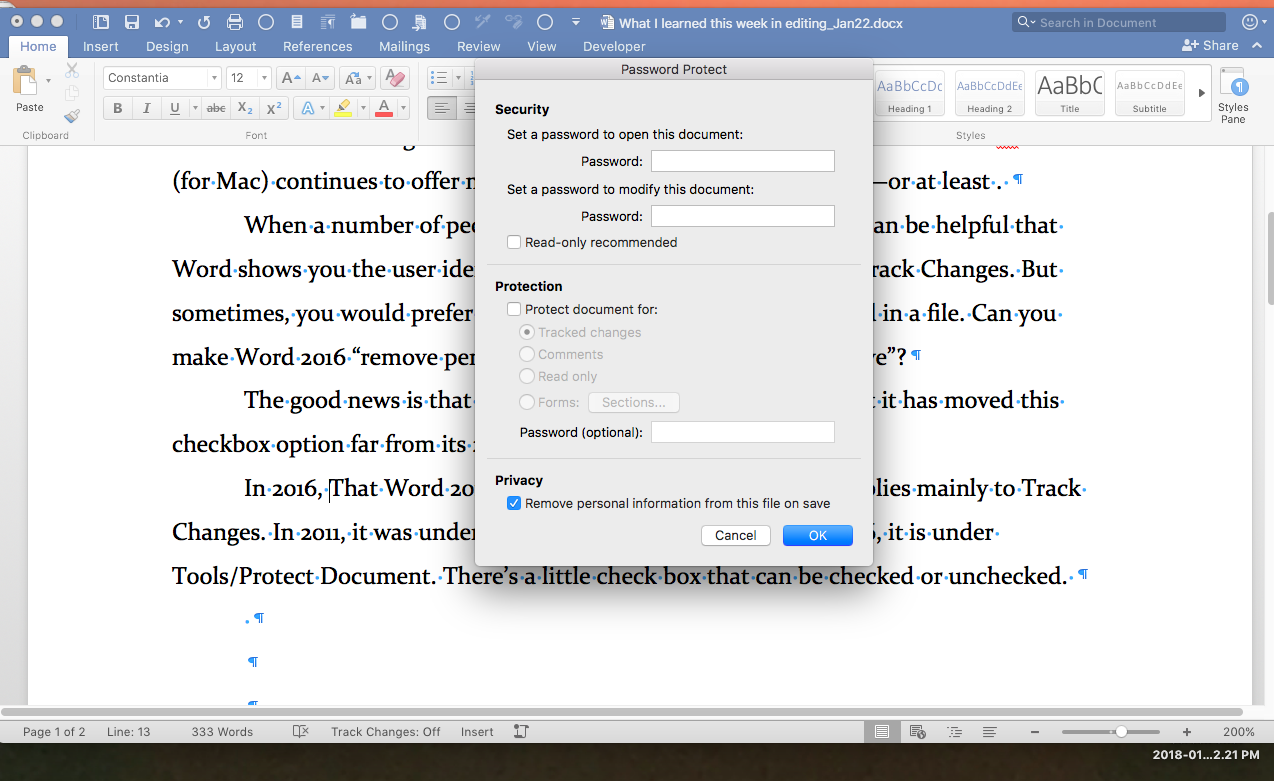
Check this box and the next time you hit “Save,” your personal information will no longer show up in the normal places in the Word file.
Any Track Changes you’ve made will now be identified as “Author,” instead of your user ID name, and your ID should not appear as the author in the files “Properties Summary” box (which you can access from the File menu).
Watch Your Name Disappear
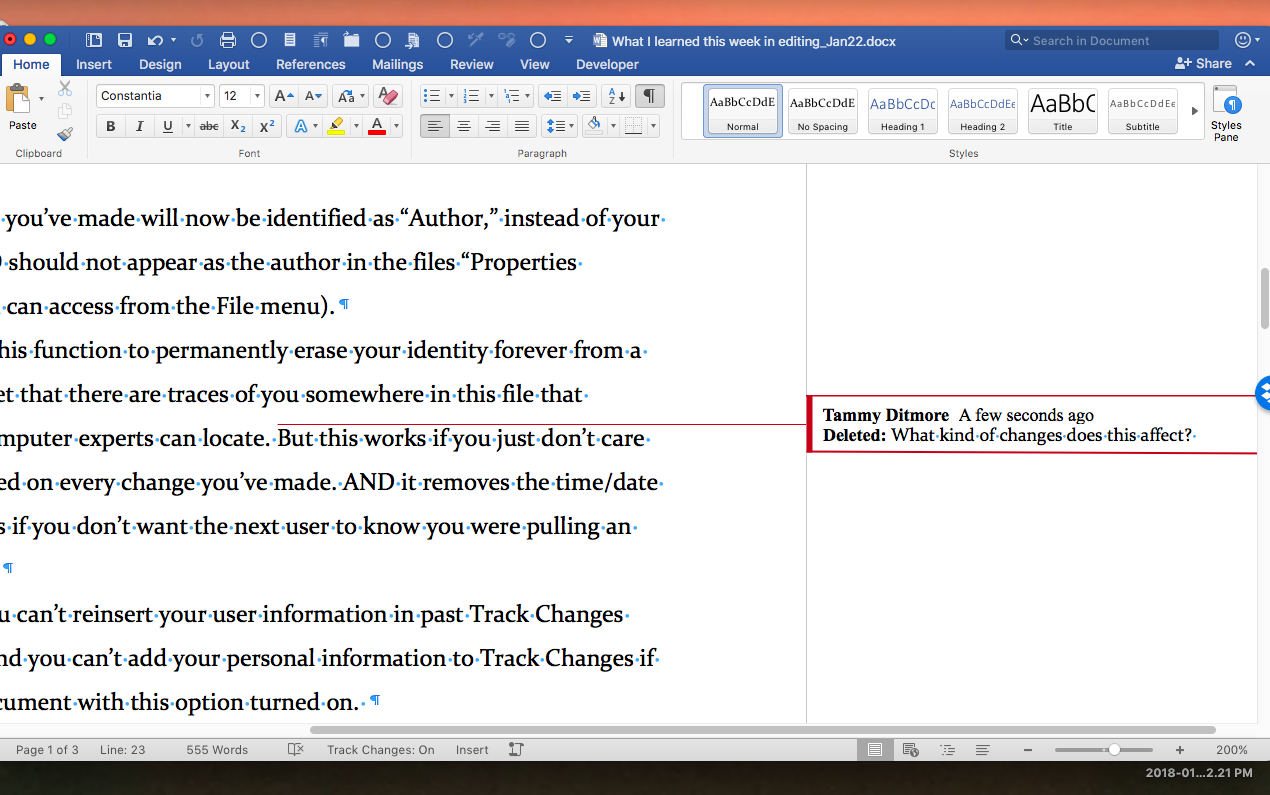
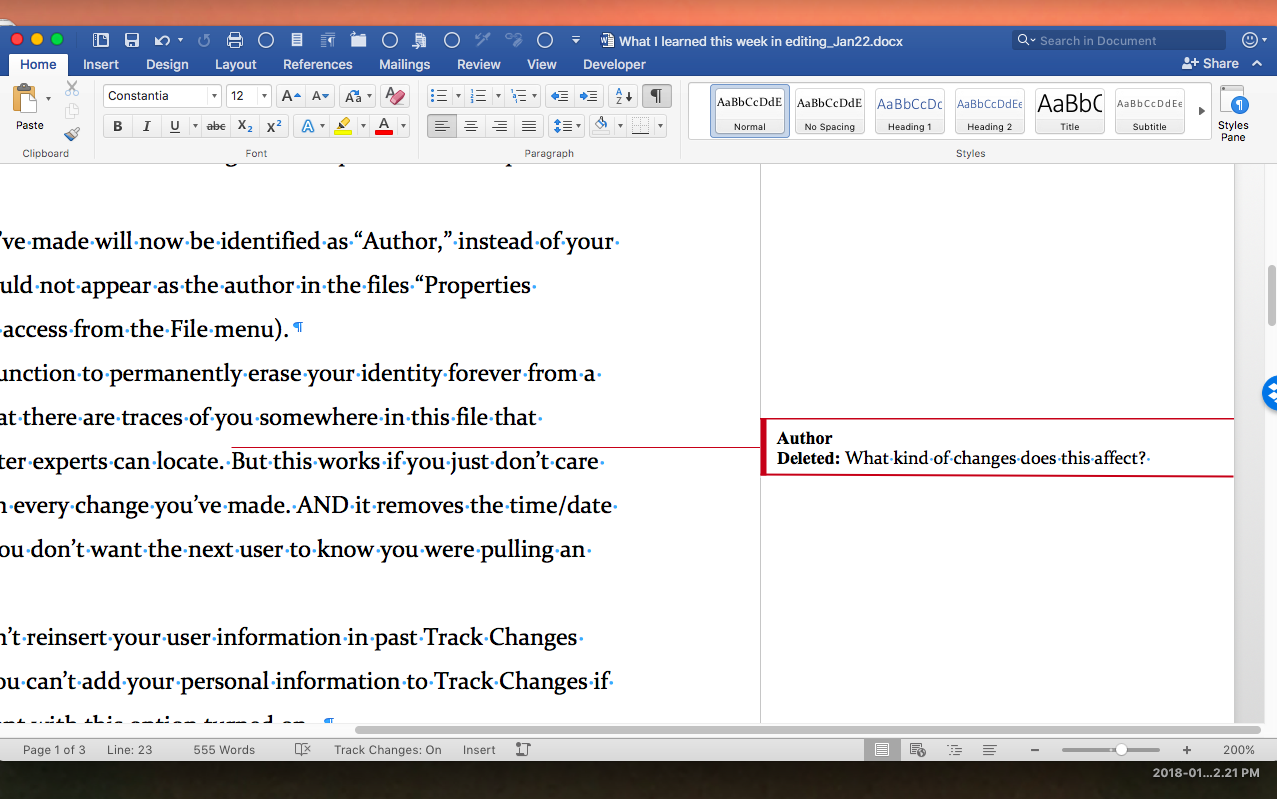
Would I count on this function to permanently erase my identity forever from a Word file? No—I would bet that there are traces of identity somewhere in this file that experienced, dedicated computer experts can locate. But this works if you just don’t care to have your name plastered on every change you’ve made. AND it removes the time/date stamp from Track Changes if you don’t want the next user to know you were pulling an all-nighter on this project.
But be warned—you can’t reinsert your user information in past Track Changes once you’ve removed it. And you can’t add your personal information to Track Changes if you start working on a document with this option turned on.
0 Comments